Give step-by-step solution with explanation and final answer:Q2. Most grocery stores use inventory management software, which manages stock lists in real-time. This
Software scans products in when received at the backdoor. Then keeps track of what gets sold through the
register. The inventory software facilitates the processes of maintaining the appropriate level of stock ina
warehouse. Inventory control identifies inventory requirements, sets targets, provides replenishment
techniques and options, monitors tem usages, reconciles the inventory balances, and reports inventory
status.
The logical architecture of ERP system is shown below, you are required to discuss in detail following
questions keeping in mind functional module of inventory management of » grocery store.
1. What kind of possible ‘Client User Interface Application’ will be used for inventory? Furthermore, you are
required to draw or paste important screen shots of a possible ‘Client User Interface Application’ (05)
2. Discuss any two ‘Core Business Logic’ with respect to security and access control mechanism for
inventory. (10)
3. Identify and explain the necessary entities for the inventory management syste for the data layer. (05)
Question:
Give step-by-step solution with explanation and final answer:Q2. Most grocery stores use inventory management software, which manages stock lists in real-time. This
Software scans products in when received at the backdoor. Then keeps track of what gets sold through the
register. The inventory software facilitates the processes of maintaining the appropriate level of stock ina
warehouse. Inventory control identifies inventory requirements, sets targets, provides replenishment
techniques and options, monitors tem usages, reconciles the inventory balances, and reports inventory
status.
The logical architecture of ERP system is shown below, you are required to discuss in detail following
questions keeping in mind functional module of inventory management of » grocery store.
1. What kind of possible ‘Client User Interface Application’ will be used for inventory? Furthermore, you are
required to draw or paste important screen shots of a possible ‘Client User Interface Application’ (05)
2. Discuss any two ‘Core Business Logic’ with respect to security and access control mechanism for
inventory. (10)
3. Identify and explain the necessary entities for the inventory management syste for the data layer. (05)
This is AI generated Response.
Asked by: Nishant Saini
Created at: 2025-09-24 09:30:16
Final Answer:
RenderedRaw Text
Did you like this answer?
# Step-by-Step Solution
Let's address each question step by step as related to the inventory management module of a grocery store ERP system.
---
## 1. **Client User Interface Application for Inventory**
### **Possible Applications**
- **Web-based Dashboard**: Accessible from PCs, showing inventory status, stock levels, reorder alerts, and reporting features.
- **Mobile Application**: For store staff to scan items, update stock, and perform quick checks on the go.
### **Key Screenshots/Screen Descriptions**
#### a) **Inventory Dashboard**
- **Elements**:
- List of items (Item Name, SKU, Quantity, Location, Expiry Date)
- Search/filter bar
- Reorder alert notifications
- Add/Edit/Delete item options
#### b) **Stock Receiving Screen**
- **Elements**:
- Barcode input/scanner integration
- Fields for quantity, supplier, date received
- Submit/Cancel buttons
#### c) **Sales/Stock Out Screen**
- **Elements**:
- Register sale or remove stock
- Scan item, enter quantity sold
- Update stock button
> **[Draw or paste screenshots: Since this is a text response, here’s a simple sketch of the dashboard:]**
```
-------------------------------------------------
| Inventory Dashboard |
-------------------------------------------------
| Search: [_________] [Filter ▼] |
-------------------------------------------------
| Item Name | SKU | Qty | Location | Expiry |
|-----------------------------------------------|
| Apples | 101 | 50 | Aisle 2 | 10/06/24 |
| Bread | 102 | 15 | Aisle 1 | 05/06/24 |
-------------------------------------------------
| [Add Item] [Edit Item] [Remove Item] |
-------------------------------------------------
| Reorder Alerts: Bread (Qty: 15, below min) |
-------------------------------------------------
```
---
## 2. **Core Business Logic: Security and Access Control**
### a) **Role-Based Access Control (RBAC)**
- **Description**: Assigns permissions based on user roles (e.g., Manager, Store Clerk).
- **Security Logic**:
- Only managers can change reorder levels, delete items, generate reports.
- Store clerks can only add stock received or update item quantities.
- **Access Control**:
- Authentication required (username/password).
- Authorization checks before each sensitive operation.
### b) **Audit Logging**
- **Description**: Every change in inventory (add, update, delete) is logged with user ID, timestamp, and action performed.
- **Security Logic**:
- Detects unauthorized or suspicious activity (e.g., sudden large deletions or adjustments).
- Provides accountability—helps track issues or misuse.
---
## 3. **Necessary Entities for the Data Layer**
### **Entities and Explanation**
#### a) **Item**
- **Attributes**: ItemID (PK), Name, SKU, Description, Category, SupplierID, ReorderLevel, ExpiryDate
- **Purpose**: Stores information about each product in inventory.
#### b) **StockTransaction**
- **Attributes**: TransactionID (PK), ItemID (FK), Quantity, TransactionType (IN/OUT/ADJUST), Date, UserID (FK)
- **Purpose**: Records all stock movements (receipts, sales, adjustments) for each item.
#### c) **User**
- **Attributes**: UserID (PK), Name, Role, Username, PasswordHash
- **Purpose**: Stores user credentials and roles for access control.
#### d) **Supplier**
- **Attributes**: SupplierID (PK), Name, ContactInfo
- **Purpose**: Maintains suppliers for tracking and reporting.
#### e) **InventoryBalance**
- **Attributes**: ItemID (FK), CurrentQuantity
- **Purpose**: Quick lookup of current stock levels for each item.
---
## **Summary Table**
| Entity | Main Attributes | Purpose |
|--------------------|--------------------------------------------------|---------------------------------------|
| Item | ItemID, Name, SKU, Category, SupplierID | Product master data |
| StockTransaction | TransactionID, ItemID, Quantity, Type, Date | Stock movement log |
| User | UserID, Name, Role, Username, PasswordHash | Access control |
| Supplier | SupplierID, Name, ContactInfo | Supplier tracking |
| InventoryBalance | ItemID, CurrentQuantity | Real-time stock level |
---
## **Final Answer Summary**
1. **Client User Interface Application**: Web dashboard and mobile app with screens for viewing, updating, and managing inventory, with mockup provided.
2. **Core Business Logic**:
- **RBAC** for role-based permissions and security.
- **Audit Logging** for tracking all inventory changes.
3. **Entities**: Item, StockTransaction, User, Supplier, InventoryBalance — each explained with attributes and function.
If you need a more detailed ER diagram or UI sketches, let me know!
VIPSolutions focuses on clear, step‑by‑step explanations so you can learn quickly. Whether you need an AI‑generated walkthrough or a short hint to get unstuck, each solution is organized for fast reading and easy review later.
Search similar questions, compare approaches, and bookmark the best answers for revision. Our goal is simple: quick, reliable study help that feels natural—not noisy.
 VIPSolutions
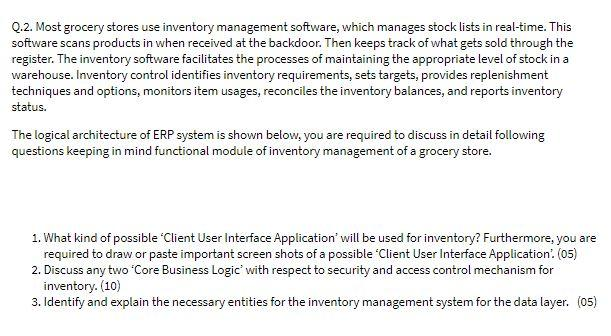 Q2. Most grocery stores use inventory management software, which manages stock lists in real-time. This
Software scans products in when received at the backdoor. Then keeps track of what gets sold through the
register. The inventory software facilitates the processes of maintaining the appropriate level of stock ina
warehouse. Inventory control identifies inventory requirements, sets targets, provides replenishment
techniques and options, monitors tem usages, reconciles the inventory balances, and reports inventory
status.
The logical architecture of ERP system is shown below, you are required to discuss in detail following
questions keeping in mind functional module of inventory management of » grocery store.
1. What kind of possible ‘Client User Interface Application’ will be used for inventory? Furthermore, you are
required to draw or paste important screen shots of a possible ‘Client User Interface Application’ (05)
2. Discuss any two ‘Core Business Logic’ with respect to security and access control mechanism for
inventory. (10)
3. Identify and explain the necessary entities for the inventory management syste for the data layer. (05)
Q2. Most grocery stores use inventory management software, which manages stock lists in real-time. This
Software scans products in when received at the backdoor. Then keeps track of what gets sold through the
register. The inventory software facilitates the processes of maintaining the appropriate level of stock ina
warehouse. Inventory control identifies inventory requirements, sets targets, provides replenishment
techniques and options, monitors tem usages, reconciles the inventory balances, and reports inventory
status.
The logical architecture of ERP system is shown below, you are required to discuss in detail following
questions keeping in mind functional module of inventory management of » grocery store.
1. What kind of possible ‘Client User Interface Application’ will be used for inventory? Furthermore, you are
required to draw or paste important screen shots of a possible ‘Client User Interface Application’ (05)
2. Discuss any two ‘Core Business Logic’ with respect to security and access control mechanism for
inventory. (10)
3. Identify and explain the necessary entities for the inventory management syste for the data layer. (05)