Give step-by-step solution with explanation and final answer:Question 6
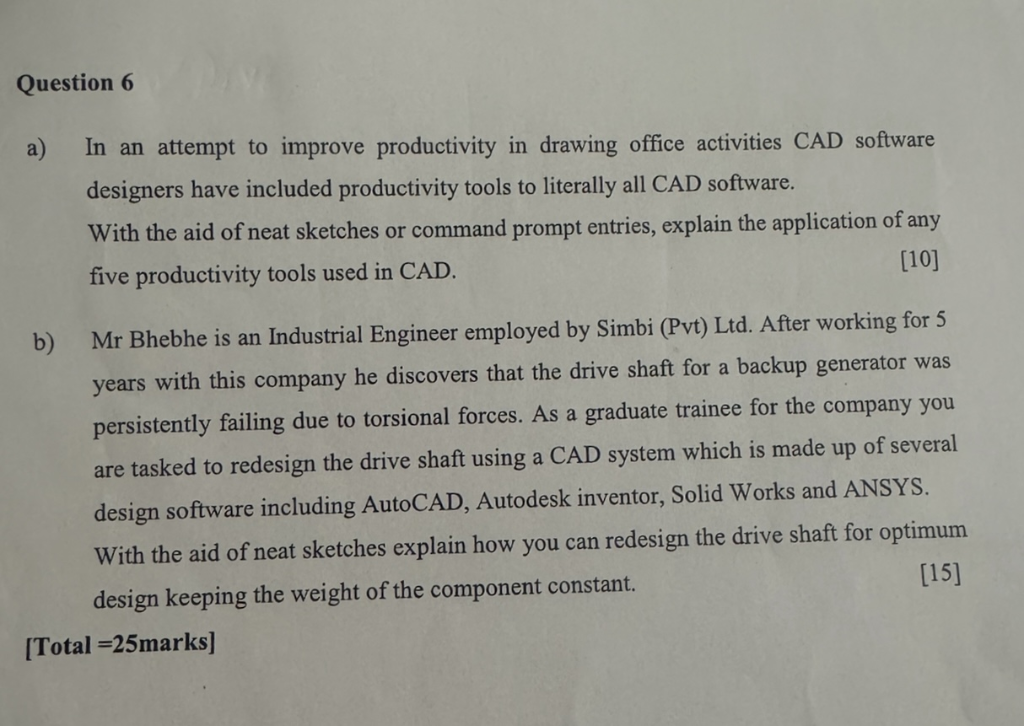
a) In an attempt to improve productivity in drawing office activities CAD software
designers have included productivity tools to literally all CAD software.
With the aid of neat sketches or command prompt entries, explain the application of any
five productivity tools used in CAD. (10)
b) Mr Bhebhe is an Industrial Engineer employed by Simbi (Pvt) Ltd. After working for 5
years with this company he discovers that the drive shaft for a backup generator was
persistently failing due to torsional forces. As a graduate trainee for the company you
are tasked to redesign the drive shaft using a CAD system which is made up of several
design software including AutoCAD, Autodesk inventor, Solid Works and ANSYS.
With the aid of neat sketches explain how you can redesign the drive shaft for optimum
design keeping the weight of the component constant. (15)
[Total =25marks]
Question:
Give step-by-step solution with explanation and final answer:Question 6
a) In an attempt to improve productivity in drawing office activities CAD software
designers have included productivity tools to literally all CAD software.
With the aid of neat sketches or command prompt entries, explain the application of any
five productivity tools used in CAD. (10)
b) Mr Bhebhe is an Industrial Engineer employed by Simbi (Pvt) Ltd. After working for 5
years with this company he discovers that the drive shaft for a backup generator was
persistently failing due to torsional forces. As a graduate trainee for the company you
are tasked to redesign the drive shaft using a CAD system which is made up of several
design software including AutoCAD, Autodesk inventor, Solid Works and ANSYS.
With the aid of neat sketches explain how you can redesign the drive shaft for optimum
design keeping the weight of the component constant. (15)
[Total =25marks]
This is AI generated Response.
Asked by: Veera manikanta
Created at: 2025-09-02 19:41:13
Final Answer:
RenderedRaw Text
Did you like this answer?
Let's break down each part of the question and provide detailed, step-by-step solutions with explanations.
---
## **Question 6(a)**
**Question:**
In an attempt to improve productivity in drawing office activities CAD software designers have included productivity tools to literally all CAD software.
With the aid of neat sketches or command prompt entries, explain the application of any five productivity tools used in CAD.
**[10 Marks]**
### **Step-by-Step Solution:**
Here are five common productivity tools in CAD, their applications, and simple command examples or sketches:
---
### **1. Layer Management**
**Application:**
Layers help organize different elements of a drawing. For example, electrical, plumbing, and structural components can each be placed on separate layers, making complex drawings easier to manage and edit.
**Example (AutoCAD Command):**
- `LAYER` or `LA` command to open Layer Manager.
- You can turn layers on/off, lock them, or freeze them for clarity.
**Sketch:**
```
-------------------------
| Structural (Blue) |
-------------------------
| Electrical (Red) |
-------------------------
| Plumbing (Green) |
-------------------------
```
---
### **2. Object Snaps (OSNAP)**
**Application:**
OSNAP allows precise selection of geometric points (endpoints, midpoints, center, intersection) when drawing or editing objects, ensuring accuracy.
**Example (AutoCAD Command):**
- `OSNAP` or F3 key to toggle.
- E.g., typing `END` for endpoint snap, `MID` for midpoint.
**Sketch:**
```
[Line]----*----*----[Line]
MID END
```
---
### **3. Blocks and Wblocks**
**Application:**
Blocks are reusable groups of objects that can be inserted multiple times, saving time on repetitive elements (e.g., doors, windows, bolts).
**Example (Command):**
- `BLOCK` to create, `INSERT` to use.
- `WBLOCK` to write a block to a file.
**Sketch:**
```
|---| |---|
| D | | D | (Reuse same Door block)
|---| |---|
```
---
### **4. Dimension Tools**
**Application:**
Dimension tools quickly add accurate measurements (linear, angular, diameter, radius) to your drawings.
**Example (Command):**
- `DIM` for dimensioning.
- `DIMLINEAR`, `DIMANGULAR`, `DIMDIAMETER` for specifics.
**Sketch:**
```
[--------------------]
|<------120mm------->|
```
---
### **5. Parametric Constraints**
**Application:**
Parametric tools let you define relationships and constraints (e.g., keeping two lines parallel) so changes are automatically updated.
**Example (Command):**
- `PARAMETRIC` tab or `GEOMCONSTRAINT` command.
- Set constraints like parallel, perpendicular, equal, fixed.
**Sketch:**
```
|----//----|
| == | (Equal length constraint)
```
---
**Summary Table:**
| Tool | Command Example | Application |
|---------------------|----------------|---------------------------------------------|
| Layer Management | LAYER, LA | Organize drawing elements |
| Object Snaps | OSNAP, F3 | Precision drawing/editing |
| Blocks/Wblocks | BLOCK, INSERT | Reuse groups of objects |
| Dimension Tools | DIM, DIMLINEAR | Add measurements |
| Parametric | GEOMCONSTRAINT | Maintain relationships between geometry |
---
## **Question 6(b)**
**Question:**
Mr Bhebhe is an Industrial Engineer...you are tasked to redesign the drive shaft using a CAD system...explain how you can redesign the drive shaft for optimum design keeping the weight of the component constant.
**[15 Marks]**
---
### **Step-by-Step Solution:**
#### **1. Analyze the Problem**
- The drive shaft fails due to torsional forces.
- Goal: **Redesign for optimum performance (stronger against torsion), but keep weight constant**.
#### **2. Approach Using CAD Tools**
**a. Open Existing Design in CAD**
- Use software like AutoCAD, Inventor, or SolidWorks to import the current shaft model.
**b. Identify Current Shaft Parameters**
- Note the material, length, outer diameter, and (if hollow) inner diameter.
**c. Calculate Current Weight**
- Weight = Volume × Density
- For solid shaft: \( V = \pi r^2 L \)
- For hollow shaft: \( V = \pi (r_{outer}^2 - r_{inner}^2) L \)
**d. Torsional Strength Optimization**
- Torsional strength is proportional to the polar moment of inertia (\( J \)):
- Solid shaft: \( J = \frac{\pi}{32} d^4 \)
- Hollow shaft: \( J = \frac{\pi}{32} (d_{outer}^4 - d_{inner}^4) \)
- **Key insight:** For the same weight, a hollow shaft can resist more torsion than a solid shaft.
**e. Redesign the Shaft**
- Propose a hollow shaft with increased outer diameter and calculated inner diameter to keep the same weight.
- Use CAD to model both shafts and compare.
**f. Simulation and Analysis (ANSYS/SolidWorks Simulation)**
- Use FEA (Finite Element Analysis) to simulate torsional loads.
- Compare maximum stress and deformation.
**g. Finalize Design**
- Choose the design with lower stress and acceptable safety factor, keeping weight constant.
---
#### **Neat Sketch (Described):**
```
Original: Solid Shaft
--------------------
| ####### |
| ####### | (Solid cross-section)
| ####### |
--------------------
Redesigned: Hollow Shaft
--------------------
| #### #### |
| #### #### | (Hollow cross-section)
| #### #### |
--------------------
Legend:
- # denotes material
- Blank denotes hollow section
```
---
#### **Summary Table:**
| Parameter | Solid Shaft | Hollow Shaft (Redesigned) |
|-------------------|----------------------|------------------------------|
| Weight | Constant | Constant |
| Torsional Strength| Lower | Higher |
| Geometry | Smaller diameter | Larger outer, hollow |
| Analysis Tools | CAD, FEA | CAD, FEA |
---
### **Final Steps in CAD:**
1. **Model new shaft** with larger OD and calculated ID.
2. **Simulate** torsional loading in ANSYS/SolidWorks.
3. **Validate** weight is constant.
4. **Document** and present new design with improved performance.
---
## **Final Answers (Summary)**
### **6(a):**
- Five productivity tools: Layer Management, Object Snap, Blocks, Dimension Tools, Parametric Constraints.
- Application and examples provided for each.
### **6(b):**
- Redesign shaft to a hollow section (same weight, higher strength).
- Use CAD and FEA to validate optimum design.
- Sketches and calculations show the improved design.
---
**If you need actual hand-drawn sketches or further CAD screenshots, please specify!**
Question:
for this solution draw the diagram for A and B
This is AI generated Response.
Asked by: Veera manikanta
Created at: 2025-09-02 19:42:54
Final Answer:
RenderedRaw Text
Did you like this answer?
Certainly! Below are the diagrams for both parts A and B as described in the solutions:
---
### **Diagram for Part A: Application of Productivity Tools in CAD**
**1. Layer Management**
```
+------------------------------+
| CAD Drawing |
|------------------------------|
| Layers: |
| - Structural (Blue) |
| - Electrical (Red) |
| - Plumbing (Green) |
+------------------------------+
```
*(This illustrates different layers separated by color or name, helping organize complex drawings.)*
---
**2. Object Snaps (OSNAP)**
```
[Line]------*-------*------[Line]
MID END
```
*(The stars (*) indicate points snapped to midpoints or endpoints of lines for precise drawing.)*
---
**3. Blocks and Wblocks**
```
[Door Block] [Door Block]
| |
| |
[Room Wall] [Room Wall]
```
*(Reuse of a door block in different locations for efficiency.)*
---
**4. Dimension Tools**
```
[---------]------------------[-------]
120mm
```
*(A measurement line with a dimension label.)*
---
**5. Parametric Constraints**
```
|------//------|
| == | (Equal length)
```
*(Lines constrained to be equal in length, maintaining relationships.)*
---
### **Diagram for Part B: Redesign of Drive Shaft**
**Original Solid Shaft:**
```
+---------------------+
| ####### | <-- Solid cross-section (filled circle)
| ####### |
| ####### |
+---------------------+
```
*(Represents a solid shaft with uniform diameter.)*
---
**Redesigned Hollow Shaft:**
```
+-------------------------+
| #### #### | <-- Outer diameter
| #### #### |
| #### #### |
+-------------------------+
```
*(Outer boundary larger, inner hollow section omitted to reduce weight while maintaining strength.)*
---
Feel free to ask if you'd like these sketches in a different style or format!
VIPSolutions focuses on clear, step‑by‑step explanations so you can learn quickly. Whether you need an AI‑generated walkthrough or a short hint to get unstuck, each solution is organized for fast reading and easy review later.
Search similar questions, compare approaches, and bookmark the best answers for revision. Our goal is simple: quick, reliable study help that feels natural—not noisy.
 VIPSolutions
 Question 6
a) In an attempt to improve productivity in drawing office activities CAD software
designers have included productivity tools to literally all CAD software.
With the aid of neat sketches or command prompt entries, explain the application of any
five productivity tools used in CAD. (10)
b) Mr Bhebhe is an Industrial Engineer employed by Simbi (Pvt) Ltd. After working for 5
years with this company he discovers that the drive shaft for a backup generator was
persistently failing due to torsional forces. As a graduate trainee for the company you
are tasked to redesign the drive shaft using a CAD system which is made up of several
design software including AutoCAD, Autodesk inventor, Solid Works and ANSYS.
With the aid of neat sketches explain how you can redesign the drive shaft for optimum
design keeping the weight of the component constant. (15)
[Total =25marks]
Question 6
a) In an attempt to improve productivity in drawing office activities CAD software
designers have included productivity tools to literally all CAD software.
With the aid of neat sketches or command prompt entries, explain the application of any
five productivity tools used in CAD. (10)
b) Mr Bhebhe is an Industrial Engineer employed by Simbi (Pvt) Ltd. After working for 5
years with this company he discovers that the drive shaft for a backup generator was
persistently failing due to torsional forces. As a graduate trainee for the company you
are tasked to redesign the drive shaft using a CAD system which is made up of several
design software including AutoCAD, Autodesk inventor, Solid Works and ANSYS.
With the aid of neat sketches explain how you can redesign the drive shaft for optimum
design keeping the weight of the component constant. (15)
[Total =25marks]