 VIPSolutions
Give step-by-step solution with explanation and final answer:Abrief overview of Lab 3 (Friction on an Inclined Plane) can ba. accessed through your labs eBook. Click on “Fiction (1 chapter under “Table of Contents” Establish the physical length scale from the piel scale in the video. Note that the ruler in the lower part of the video has a scale of inches at the top. (inch = 2.54 cm)
Question:
Give step-by-step solution with explanation and final answer: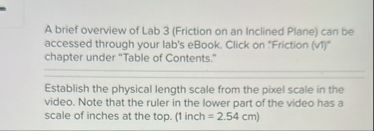 Abrief overview of Lab 3 (Friction on an Inclined Plane) can ba.
accessed through your labs eBook. Click on “Fiction (1
chapter under “Table of Contents”
Establish the physical length scale from the piel scale in the
video. Note that the ruler in the lower part of the video has a
scale of inches at the top. (inch = 2.54 cm)
Abrief overview of Lab 3 (Friction on an Inclined Plane) can ba.
accessed through your labs eBook. Click on “Fiction (1
chapter under “Table of Contents”
Establish the physical length scale from the piel scale in the
video. Note that the ruler in the lower part of the video has a
scale of inches at the top. (inch = 2.54 cm)
This is AI generated Response.
Asked by: Rahul
Created at: 2026-02-10 06:41:15
Asked by: Rahul
Created at: 2026-02-10 06:41:15
Final Answer:
Rendered
Raw Text
Did you like this answer?
Certainly! Let’s break down the task step by step:
---
## **Step-by-Step Solution**
### **Step 1: Understand the Problem**
You need to convert a measurement in pixels (from a video) to a physical length (in inches or centimeters). The video has a ruler with an inch scale, and you are given the conversion:
**1 inch = 2.54 cm**
---
### **Step 2: Identify the Pixel-to-Inch Scale**
1. **Pause the video** at a point where the ruler is clearly visible.
2. **Measure the number of pixels** that correspond to a known length on the ruler (e.g., 1 inch or 2 inches).
- Use a screen ruler tool or image analysis software to do this.
- Let’s say, for example, 1 inch on the ruler = **150 pixels**.
---
### **Step 3: Set Up the Pixel-to-Physical Scale**
- **Scale:**
\[
\text{Physical length} = \left(\frac{\text{Measured length in pixels}}{\text{Pixels per inch}}\right) \text{ inches}
\]
---
### **Step 4: Convert to Centimeters (if needed)**
- Multiply the length in inches by **2.54** to get centimeters.
---
### **Step 5: Example Calculation**
Suppose you measure **1 inch = 150 pixels**, and an object in the video is **300 pixels** long.
#### **A. Convert Pixels to Inches**
\[
\text{Length in inches} = \frac{300 \text{ pixels}}{150 \text{ pixels/inch}} = 2 \text{ inches}
\]
#### **B. Convert Inches to Centimeters**
\[
\text{Length in cm} = 2 \text{ inches} \times 2.54 = 5.08 \text{ cm}
\]
---
## **Final Answer (General Formula)**
If \( P \) is the length in pixels, and \( S \) is the scale (pixels per inch):
\[
\text{Length in inches} = \frac{P}{S}
\]
\[
\text{Length in cm} = \frac{P}{S} \times 2.54
\]
---
## **Summary**
1. Measure how many pixels correspond to 1 inch on the video ruler.
2. Use the ratio to convert any pixel measurement to inches (or centimeters).
3. **1 inch = 2.54 cm** for further conversion.
---
If you provide the actual pixel measurements from your video, I can calculate a specific answer!
📢 Instructions:
- Ask anything relatd to above question only.
- For new Question goto :