give answer in 2 step with explanation at the end of each step and final answer at the end:Materials:
Tinkercad
1x Arduino Uno board and USB cable
1 x Servo Motor
4 x tact switch
4 x 470 Q resistors
1x breadboard
Connecting wires
Procedure:
1. Connect a servomotor to digital pin 3. The yellow wire of the servo goes to the
pin, and the red and brown wires go to +5V and ground, respectively.
2. Create a program in Tinkercad that will control the servo motor. The program
must not execute the position of the servo motor until the user releases the
button. Use a tact switch to toggle the servo’s direction of rotation (clockwise or
counterclockwise) and another 3 tact switches to set the position of the servo
motor to 60, 120, and 180 degrees respectively. Print the states of the tact
switch and the servo motor to Serial monitor.
Question:
give answer in 2 step with explanation at the end of each step and final answer at the end:Materials:
Tinkercad
1x Arduino Uno board and USB cable
1 x Servo Motor
4 x tact switch
4 x 470 Q resistors
1x breadboard
Connecting wires
Procedure:
1. Connect a servomotor to digital pin 3. The yellow wire of the servo goes to the
pin, and the red and brown wires go to +5V and ground, respectively.
2. Create a program in Tinkercad that will control the servo motor. The program
must not execute the position of the servo motor until the user releases the
button. Use a tact switch to toggle the servo’s direction of rotation (clockwise or
counterclockwise) and another 3 tact switches to set the position of the servo
motor to 60, 120, and 180 degrees respectively. Print the states of the tact
switch and the servo motor to Serial monitor.
This is AI generated Response.
Asked by: Rahulkumar
Created at: 2025-10-07 20:18:02
Final Answer:
RenderedRaw Text
Did you like this answer?
## Step 1: **Hardware Setup**
- **Explanation:**
Connect the servo motor and switches as described:
- **Servo Motor:**
- Connect the **yellow wire** of the servo to **digital pin 3** of the Arduino.
- Connect the **red wire** to **+5V**.
- Connect the **brown wire** to **ground (GND)**.
- **Tact Switches:**
- Connect **one tact switch** to be used for toggling the servo’s rotation direction (clockwise/counterclockwise).
- Connect **three tact switches** to set the servo to **60°, 120°, and 180°** positions.
- Each tact switch should be connected with a **470 Ω resistor** in series to ground.
- Use connecting wires and a breadboard to assemble the circuit.
---
## Step 2: **Programming in Tinkercad**
- **Explanation:**
Write an Arduino program to:
- **Read inputs** from the four tact switches:
- 1 switch for direction toggle.
- 3 switches for preset positions.
- **Control the servo:**
- Change the servo's position only when a position switch is pressed, and revert when released.
- Toggle direction with the direction switch (e.g., clockwise/counterclockwise).
- **Serial Output:**
- Print the state of the tact switches and the current angle of the servo to the Serial Monitor.
---
## Final Answer
To complete the project:
1. Properly wire the servo and tact switches to the Arduino as per the instructions.
2. Write a program in Tinkercad that reads the tact switches to control the servo’s direction and position, and prints the states to the Serial Monitor.
Each step ensures the hardware and software work together for interactive servo motor control.
VIPSolutions focuses on clear, step‑by‑step explanations so you can learn quickly. Whether you need an AI‑generated walkthrough or a short hint to get unstuck, each solution is organized for fast reading and easy review later.
Search similar questions, compare approaches, and bookmark the best answers for revision. Our goal is simple: quick, reliable study help that feels natural—not noisy.
 VIPSolutions
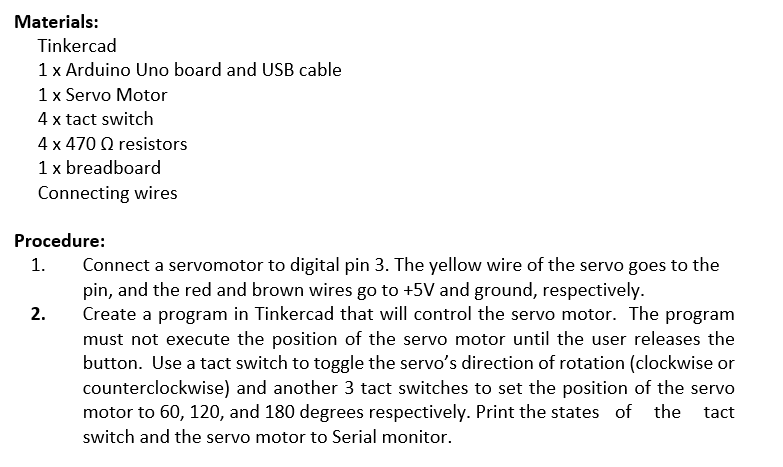 Materials:
Tinkercad
1x Arduino Uno board and USB cable
1 x Servo Motor
4 x tact switch
4 x 470 Q resistors
1x breadboard
Connecting wires
Procedure:
1. Connect a servomotor to digital pin 3. The yellow wire of the servo goes to the
pin, and the red and brown wires go to +5V and ground, respectively.
2. Create a program in Tinkercad that will control the servo motor. The program
must not execute the position of the servo motor until the user releases the
button. Use a tact switch to toggle the servo’s direction of rotation (clockwise or
counterclockwise) and another 3 tact switches to set the position of the servo
motor to 60, 120, and 180 degrees respectively. Print the states of the tact
switch and the servo motor to Serial monitor.
Materials:
Tinkercad
1x Arduino Uno board and USB cable
1 x Servo Motor
4 x tact switch
4 x 470 Q resistors
1x breadboard
Connecting wires
Procedure:
1. Connect a servomotor to digital pin 3. The yellow wire of the servo goes to the
pin, and the red and brown wires go to +5V and ground, respectively.
2. Create a program in Tinkercad that will control the servo motor. The program
must not execute the position of the servo motor until the user releases the
button. Use a tact switch to toggle the servo’s direction of rotation (clockwise or
counterclockwise) and another 3 tact switches to set the position of the servo
motor to 60, 120, and 180 degrees respectively. Print the states of the tact
switch and the servo motor to Serial monitor.