 VIPSolutions
Act like a helpful tutor and exlain me :i = Use Excel's NORM.S.DIST function to answer the questions on this page. You need to have each calculation recorded in a cell on this page, using the NORM.S.DIST function and the correct inputs. See the Functions tab for more info about these functions. a. What is the probability that any data point will have a z score less than -1.25? b. What is the probability that any data point will have a z score greater than +0.5? c. What is the probability that any data point will have a z score between +1 and +2?
Question:
Act like a helpful tutor and exlain me :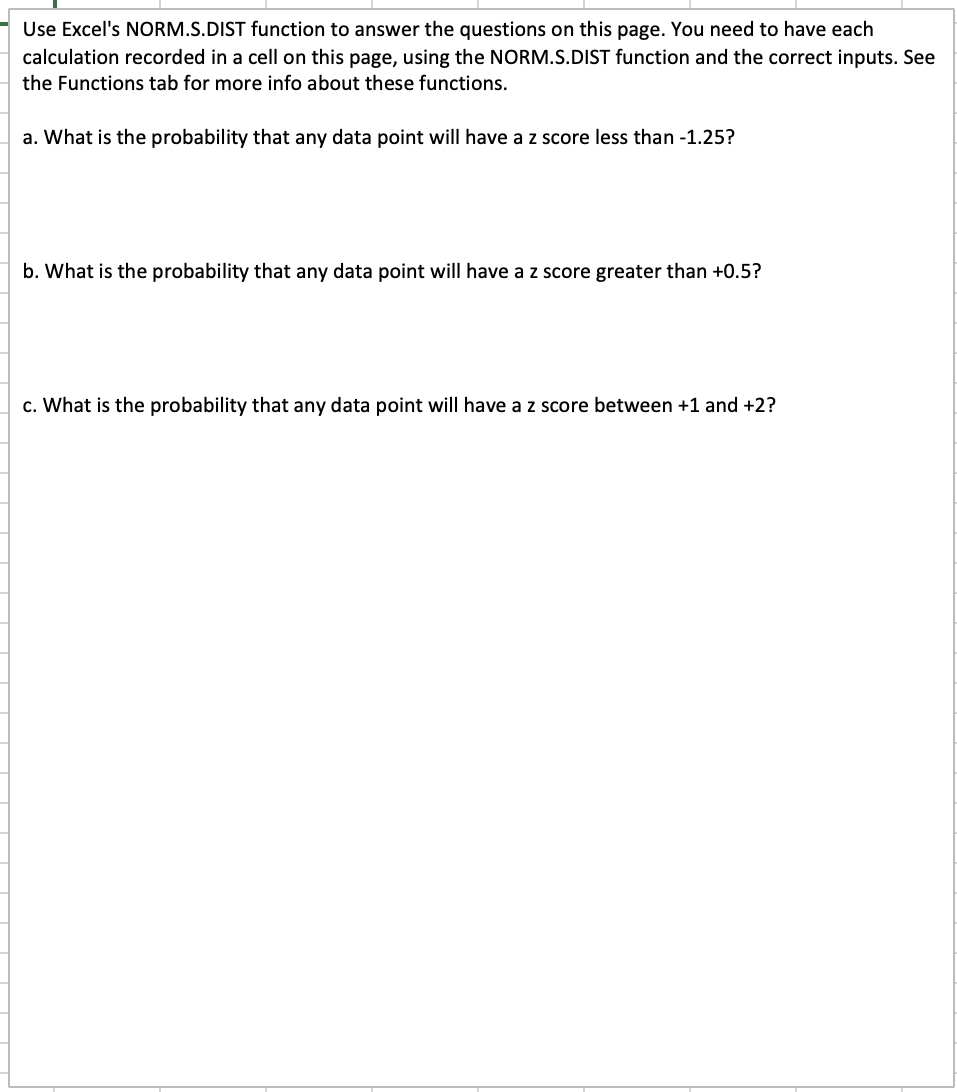 i
= Use Excel's NORM.S.DIST function to answer the questions on this page. You need to have each
calculation recorded in a cell on this page, using the NORM.S.DIST function and the correct inputs. See
the Functions tab for more info about these functions.
a. What is the probability that any data point will have a z score less than -1.25?
b. What is the probability that any data point will have a z score greater than +0.5?
c. What is the probability that any data point will have a z score between +1 and +2?
i
= Use Excel's NORM.S.DIST function to answer the questions on this page. You need to have each
calculation recorded in a cell on this page, using the NORM.S.DIST function and the correct inputs. See
the Functions tab for more info about these functions.
a. What is the probability that any data point will have a z score less than -1.25?
b. What is the probability that any data point will have a z score greater than +0.5?
c. What is the probability that any data point will have a z score between +1 and +2?
This is AI generated Response.
Asked by: Alok Kumar
Created at: 2026-01-26 03:17:14
Asked by: Alok Kumar
Created at: 2026-01-26 03:17:14
Final Answer:
Rendered
Raw Text
Did you like this answer?
# How to Use NORM.S.DIST in Excel for Z-Score Probabilities
The `NORM.S.DIST` function in Excel gives you probabilities for the **standard normal distribution** (mean = , standard deviation = 1).
The syntax is:
```
=NORM.S.DIST(z, cumulative)
```
- `z`: The Z-score value.
- `cumulative`: Enter `TRUE` to get the cumulative probability (area **to the left** of z).
---
## a. Probability Z < -1.25
**Question:** What is the probability that a data point will have a z score less than -1.25?
**Excel Formula:**
```
=NORM.S.DIST(-1.25, TRUE)
```
This gives the probability that Z is **less than -1.25**.
---
## b. Probability Z > .5
**Question:** What is the probability that a data point will have a z score greater than +.5?
**Step 1:** Find area **to the left** of .5:
```
=NORM.S.DIST(.5, TRUE)
```
**Step 2:** Subtract from 1 to get area **to the right**:
```
=1 - NORM.S.DIST(.5, TRUE)
```
This gives the probability that Z is **greater than .5**.
---
## c. Probability 1 < Z < 2
**Question:** What is the probability that a data point will have a z score between +1 and +2?
**Step 1:** Find area **to the left** of 2:
```
=NORM.S.DIST(2, TRUE)
```
**Step 2:** Find area **to the left** of 1:
```
=NORM.S.DIST(1, TRUE)
```
**Step 3:** Subtract:
```
=NORM.S.DIST(2, TRUE) - NORM.S.DIST(1, TRUE)
```
This gives the probability that Z is **between 1 and 2**.
---
## Summary Table
| Situation | Excel Formula |
|-------------------|------------------------------------------------|
| Z < -1.25 | =NORM.S.DIST(-1.25, TRUE) |
| Z > .5 | =1 - NORM.S.DIST(.5, TRUE) |
| 1 < Z < 2 | =NORM.S.DIST(2, TRUE) - NORM.S.DIST(1, TRUE) |
---
Let me know if you want help interpreting the results or understanding the logic!
📢 Instructions:
- Ask anything relatd to above question only.
- For new Question goto :